CVE-2026-92713 vulnerability and BitFire protection

How BitFire Protects Against CVE-2026-92713: Modula Image Gallery Missing Authorization

WordPress vulnerability research

BitFire FREE Bot Protection stops the automated REST delivery of CVE-2026-92713, the Modula Image Gallery Author-level arbitrary file deletion flaw.

Authenticated Author+ CVSS 8.1 High Arbitrary File Deletion Missing Authorization
BitFire · Vulnerability advisoryResearch published
AdvisoryCVE-2026-92713
ComponentModula Image Gallery – Photo Grid & Video Gallery
Relevant sourceincludes/admin/helpers/class-modula-gallery-upload.php — Modula_Gallery_Upload::rest_import_file() → upload_image()
Executive summary

What WordPress administrators need to know

CVE-2026-92713 is a missing-authorization flaw in the Modula Image Gallery plugin's folder-import REST endpoint. A logged-in user with Author capabilities can POST an arbitrary file path under wp-content/uploads to /wp-json/modula/v2/gallery/{id}/upload/import-file and make the server consume and delete files it does not own, including other users' Media Library originals and generated image sizes. Versions through 3.0.2 are affected; 3.0.3 adds per-file ownership authorization. BitFire FREE Bot Protection classifies and blocks this kind of direct automated REST attack before the vulnerable handler runs, cutting the exploit off at delivery.

At a glance

Key facts

  • Affects Modula Image Gallery through 3.0.2; fixed in 3.0.3.
  • Authenticated Author+ exploit of the POST route /wp-json/modula/v2/gallery/{id}/upload/import-file; no admin UI interaction required.
  • The attacker-supplied 'file' path is validated only by uploads-basedir location, never against attachment ownership.
  • media_handle_sideload() consumes tmp_name, deleting the attacker-named file on import or rejection.
  • Impact: deletion of arbitrary non-PHP files under wp-content/uploads, including other users' Media Library files (C:N/I:H/A:H).
  • BitFire FREE Bot Protection blocks the automated REST delivery before the vulnerable handler runs.
01
Vulnerability overview

Understand the exposure

The affected component, attack path, and practical risk for WordPress websites.

Affected componentModula Image Gallery – Photo Grid & Video Gallery
Potential reach100000 installations
Attack techniquemissing authorization
Published2026-09-26
BitFire FREE Bot Protection blocks the scripted REST delivery CVE-2026-92713 depends on — the attack dies before WordPress ever reaches Modula's vulnerable import handler.
02
Technical analysis

How the vulnerability works

Research details, affected versions, exploitation behavior, and remediation guidance.

How CVE-2026-92713 Works

The flaw lives in includes/admin/helpers/class-modula-gallery-upload.php. The import-file route requires WordPress cookie authentication with a REST nonce, and its capability checks — upload_files, edit_posts, and edit_post on a gallery the user owns — are all satisfied by a default Author, so an ordinary Author account reaches it without admin help. The handler validates the attacker-chosen 'file' path only by location: it must exist, be readable, and sit under the shared uploads basedir. Nothing ties the path to an attachment the user owns. When 'delete_files' is set, upload_image() passes that path straight to media_handle_sideload() as tmp_name, and sideload semantics consume the source. The outcome is deletion of arbitrary non-PHP files under uploads — including other users' attachment originals and generated sizes — scoring integrity and availability loss. Code execution and access outside uploads are not indicated by the code path.

BitFire FREE Bot Protection Stops the Attack at Delivery

BitFire FREE Bot Protection meets this exploit where it must start: a scripted, non-interactive REST call carrying attacker-controlled body parameters to a sensitive plugin route, with no admin UI involved. Bot Protection evaluates who is making the request, classifies restricted automated traffic — REST and AJAX calls, form posts, and logins from unverified clients — and blocks it before WordPress hands the request to Modula's vulnerable handler. Clients presenting as a browser must pass lightweight JavaScript verification, and scripts or fake browsers typically fail, so the chain never reaches rest_import_file() or the destructive sideload. One honest limit: an explicitly allowlisted bot or a successfully verified real-browser session is not categorically stopped, which is why the 3.0.3 patch remains mandatory. For scripted delivery — the form this attack takes — BitFire shuts the door.

Fixed in Modula 3.0.3: Per-File Ownership Authorization

Modula 3.0.3 severs the path-to-delete link. A new Modula_Folder_Import_Path helper replaces the loose strpos prefix test with proper uploads containment, resolves the requested path to the attachment that owns it, and authorize_import() now demands edit_post — and delete_post whenever deletion is requested — on that owner, returning 403 otherwise. upload_image() no longer destroys its input: sideloads copy the file to a temp name first via handle_sideload_without_deleting(), and any deletion happens afterward through maybe_delete_folder_import_source() with a fresh existence check. The folder browser is also narrowed to a dedicated staging directory under uploads. Update immediately; no configuration of 3.0.2 closes this gap.

If Your Site Was Affected, Investigate for Persistence.

Patch to 3.0.3 first — but patching only closes the known path. It does not tell you whether the endpoint was abused while 3.0.2 was installed, and it removes nothing an attacker already put in place. If your site ran an affected version, run BitFire Threat Hunter. Its post-compromise investigation surfaces backdoor WordPress administrator accounts, hidden database triggers, long-running PHP processes, and droppers that can restore malware or reinfect the site. Remove every persistence mechanism it finds, rotate relevant credentials, and do not treat the absence of an obvious malicious file as proof the site is clean. Decisive investigation is the only way to restore confidence after exposure.

Make Scripted Attacks Dead on Arrival

CVE-2026-92713 shows how one missing ownership check turns a media utility into an arbitrary file-deletion weapon for any Author account. BitFire FREE Bot Protection blocks the automated REST delivery this exploit depends on, and BitFire Threat Hunter finds any persistence a successful attacker left behind. Update Modula to 3.0.3 today, put BitFire in front of your site, and investigate anything that ran a vulnerable version. Deploy BitFire FREE now and stop scripted attacks before WordPress runs.


03
Source review

Vulnerable and fixed code

The relevant source is located in includes/admin/helpers/class-modula-gallery-upload.php — Modula_Gallery_Upload::rest_import_file() → upload_image().

BeforeVulnerable behavior
// 3.0.2 — abridged: rest_import_file() path handling → upload_image() sink
$real_path = realpath( wp_unslash( $file ) ); // existence + readability only
// 0 !== strpos( $real_path, $allowed_base ): wp_upload_dir()['basedir'] prefix test — location, not ownership
media_handle_sideload(
    array(
        'name'     => basename( $file_path ),
        'tmp_name' => $file_path,
    ),
    0
); // sideload semantics consume tmp_name: moved on success, unlinked when rejected
AfterCorrected behavior
// Corrected behavior, abridged from the supplied writeup (3.0.3).
$attachment_id = resolve_folder_import_attachment( $file );
Modula_Folder_Import_Path::authorize_import(
    $attachment_id,
    $delete_files
); // requires edit_post, and delete_post on the owning attachment when deleting; 403 otherwise
upload_image( $file_path, $delete_files );
// upload_image(): handle_sideload_without_deleting() copies to wp_tempnam first;
// maybe_delete_folder_import_source() re-verifies the path before wp_delete_file().
04
Zero-day protection

Protection from the first exploit request

BitFire protects WordPress servers on day zero—before a vulnerability is publicly known and before other vendors have time to develop signatures or patches.

01 · VerifyStop unknown clients

Bot controls and browser verification stop untrusted automated clients before previously unknown exploit code reaches WordPress.

02 · DetectBlock malicious behavior

General WAF protections identify dangerous request behavior and hostile payloads without waiting for a vulnerability-specific signature.

03 · PreventContain attacks at runtime

RASP follows execution inside PHP and prevents unauthorized changes to protected files, accounts, and database content.

BitFire · WordPress protectionZero-day ready
BitFire zero-day WordPress vulnerability protection
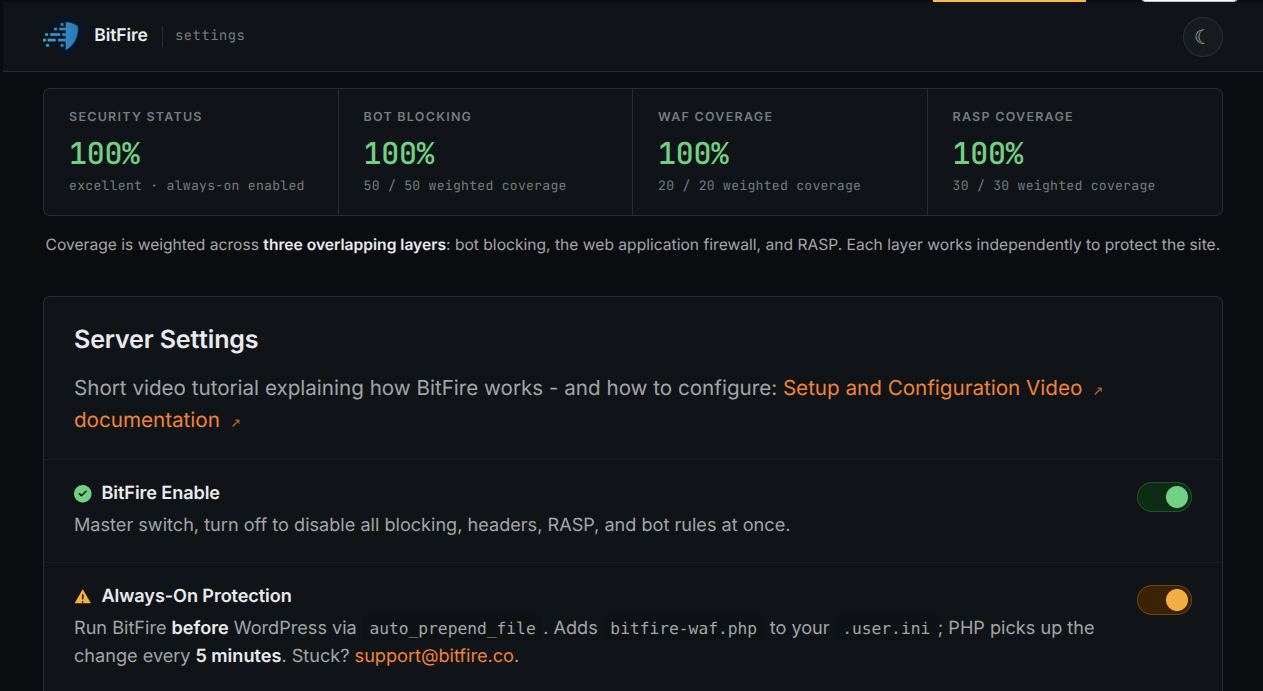
BitFire combines verified-client controls, behavior-based WAF detection, and runtime RASP enforcement to protect WordPress before an exploit has a name, CVE, signature, or vendor patch.
About the author

Cory Marsh

Cory has more than 20 years of internet security experience and is a lead developer on the BitFire project.

Read BitFire security research →
Protect your WordPress website

Add protection before the next exploit arrives.

BitFire combines bot controls, request inspection, malware detection, and runtime protection in one WordPress security platform.

Protect my site free →