CVE-2024-28890 vulnerability and BitFire protection

How BitFire Stops CVE-2024-28890 Forminator File Uploads

WordPress vulnerability research

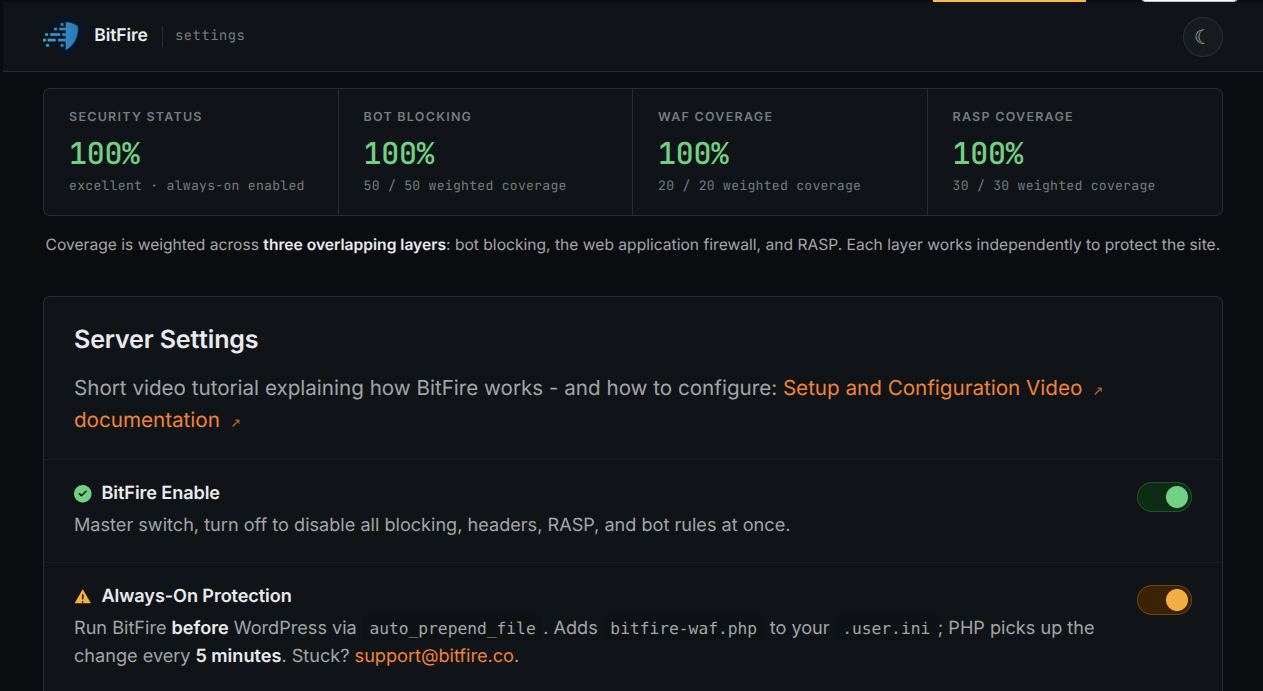
Forminator accepted files without confirming that their contents matched their apparent type, while BitFire blocks unknown exploit bots and uses PRO RASP to prevent unauthorized PHP file creation.

Unauthenticated Critical Severity Remote Code Execution Risk Arbitrary File Upload
BitFire · Vulnerability advisoryResearch published
AdvisoryCVE-2024-28890
ComponentForminator Forms – Contact Form, Payment Form & Custom Form Builder
Relevant sourcelibrary/fields/upload.php: Forminator_Upload::handle_file_upload() and check_mime_type()
Executive summary

What WordPress administrators need to know

CVE-2024-28890 is a critical unauthenticated arbitrary file upload vulnerability in Forminator versions up to and including 1.28.1. A visitor who can submit to an exposed Forminator upload field can send a multipart file whose name has an allowed extension but whose contents do not match that apparent type. Vulnerable code checks the filename extension before moving the temporary file, but does not confirm the file's real type against its name. This can place dangerous attacker-controlled content on the server and, where the web-server configuration permits execution, may lead to remote code execution. BitFire blocks unknown automated clients before they reach the form handler, while BitFire PRO RASP independently prevents unauthorized PHP file creation or modification at the filesystem boundary.

At a glance

Key facts

  • Forminator versions up to and including 1.28.1 are affected
  • No WordPress account is required to submit to an exposed public upload field
  • Filename extension checks do not establish the actual type of the uploaded content
  • Dangerous uploaded content may expose data, alter the site, cause denial of service, or enable code execution when server handling permits it
  • BitFire bot protection rejects unknown automated clients and browser impersonation before vulnerable plugin code runs
  • BitFire PRO RASP prevents unauthorized PHP file creation or modification from any request vector
01
Vulnerability overview

Understand the exposure

The affected component, attack path, and practical risk for WordPress websites.

Affected componentForminator Forms – Contact Form, Payment Form & Custom Form Builder
Potential reach600,000+ installations
Attack techniquearbitrary file upload
Published2024-04-18
BitFire stops the unknown automated upload request and independently denies the unauthorized PHP filesystem change needed to turn dangerous content into executable code.
02
Technical analysis

How the vulnerability works

Research details, affected versions, exploitation behavior, and remediation guidance.

CVE-2024-28890 Reaches a Public Form Upload Path

Forminator provides contact forms, surveys, quizzes, payment forms, and configurable file-upload fields to more than 600,000 WordPress installations. CVE-2024-28890 affects versions through 1.28.1 and carries a critical CVSS score of 9.8. When a site publishes a form with an upload path exposed to visitors, an attacker does not need a WordPress account to submit a crafted file. The vulnerable server-side handler may store content that only appears to be an allowed type by filename. Official vulnerability reporting identifies possible sensitive-file access, site alteration, and denial of service; remote code execution is also possible when the resulting filename, storage location, and web-server configuration cause the uploaded content to be executed. Those outcomes are possible impacts, not a guarantee on every host.

Extension Validation Does Not Prove What a File Contains

`Forminator_Upload::handle_file_upload()` builds an allowed MIME map, calls `wp_check_filetype()` with the generated filename, and rejects a name whose extension is not on that list. It also confirms that PHP recognizes the temporary path as a genuine HTTP upload and applies file-size limits. The missing boundary is content-aware validation: `wp_check_filetype()` classifies this input from its filename, so an allowed-looking suffix does not prove that the uploaded bytes are the expected image, document, or media format. After those checks, the handler creates the destination directory and passes the temporary file toward `move_uploaded_file()`, allowing a deliberately mismatched file to cross into persistent storage.

Later Source Adds a Filename-and-Content Check

The CVE record identifies Forminator releases prior to 1.29.0 as affected. The exact WordPress.org package comparison shows the explicit content-validation logic in version 1.29.2: before choosing the upload destination, the handler calls `check_mime_type()` with both the temporary file path and original filename. That helper delegates to WordPress's `wp_check_filetype_and_ext()` and accepts the upload only when WordPress returns both a non-empty extension and MIME type. This closes the specific validation gap by requiring the file's inspected content and claimed filename to produce an allowed result. The displayed BEFORE and AFTER excerpts come from the verified 1.28.1 and 1.29.2 packages rather than reconstructing vendor code.

BitFire Bot Protection Stops Automated Upload Attempts

Automated exploitation requires an attacker-controlled POST containing multipart file data and form parameters. BitFire bot protection detects unknown automation and browser impersonation when those clients send unknown GET or POST parameters. It can reject the request before WordPress dispatches the public submission to Forminator or `handle_file_upload()` examines the attachment. This request-layer control does not claim to block every visitor or explicitly allowed integration; it targets the unknown automated client delivering the exploit and operates without waiting for a CVE-specific signature.

BitFire PRO RASP Denies the Dangerous Filesystem Outcome

BitFire PRO RASP supplies an independent final boundary at the operation an executable-file exploit must complete. Its filesystem policy prevents unauthorized PHP file creation or modification from any request vector. A misleading filename may pass vulnerable plugin validation, and an alternate client may avoid a request-layer decision, but RASP follows execution to the attempted PHP write and denies that sensitive outcome. This is outcome-based zero-day protection: the filesystem access control is already active before CVE-2024-28890 has a dedicated signature and remains effective when application code mistakes an allowed-looking name for safe content.

Conclusion: Uploads Need Independent Access Controls

Administrators can verify the installed Forminator release and inspect Forminator upload locations, WordPress media, web logs, and BitFire events for unexpected files or repeated rejected submissions. CVE-2024-28890 demonstrates why site administrators need a security solution with built-in access controls and zero-day protection when plugin file validation fails. BitFire's behavior-based bot protection can stop the unknown automated upload request before the plugin runs, while BitFire PRO RASP enforces the more important final rule: an unauthenticated form submission must not create or modify executable PHP, even before a vulnerability-specific response exists.


03
Source review

Vulnerable and fixed code

The relevant source is located in library/fields/upload.php: Forminator_Upload::handle_file_upload() and check_mime_type().

BeforeVulnerable behavior
// Vulnerable source, abridged from Forminator 1.28.1.
$valid = wp_check_filetype( $file_name, $mime_types );
$ext   = pathinfo( $file_name, PATHINFO_EXTENSION );

if ( false === $valid['ext'] ) {
    return array(
        'success' => false,
        'message' => esc_html__( 'Error saving form. Uploaded file extension is not allowed.', 'forminator' ),
    );
}

if ( ! is_uploaded_file( $file_object['tmp_name'] ) ) {
    return array(
        'success' => false,
        'message' => esc_html__( 'Error saving form. Failed to read uploaded file.', 'forminator' ),
    );
}

$upload_dir = wp_upload_dir();
AfterCorrected behavior
// Patched source, abridged from Forminator 1.29.2.
$valid_mime = self::check_mime_type( $file_object['tmp_name'], $file_object['name'] );

if ( ! $valid_mime ) {
    return array(
        'success' => false,
        'message' => esc_html__( 'Sorry, you are not allowed to upload this file type.', 'forminator' ),
    );
}

// ...
private static function check_mime_type( string $file, string $file_name ) : bool {
    $wp_filetype = wp_check_filetype_and_ext( $file, $file_name );

    return ! empty( $wp_filetype['ext'] ) && ! empty( $wp_filetype['type'] );
}
04
Zero-day protection

Protection from the first exploit request

BitFire protects WordPress servers on day zero—before a vulnerability is publicly known and before other vendors have time to develop signatures or patches.

01 · VerifyStop unknown clients

Bot controls and browser verification stop untrusted automated clients before previously unknown exploit code reaches WordPress.

02 · DetectBlock malicious behavior

General WAF protections identify dangerous request behavior and hostile payloads without waiting for a vulnerability-specific signature.

03 · PreventContain attacks at runtime

RASP follows execution inside PHP and prevents unauthorized changes to protected files, accounts, and database content.

BitFire · WordPress protectionZero-day ready
BitFire zero-day WordPress vulnerability protection
BitFire combines verified-client controls, behavior-based WAF detection, and runtime RASP enforcement to protect WordPress before an exploit has a name, CVE, signature, or vendor patch.
About the author

Cory Marsh

Cory has more than 20 years of internet security experience and is a lead developer on the BitFire project.

Read BitFire security research →
Protect your WordPress website

Add protection before the next exploit arrives.

BitFire combines bot controls, request inspection, malware detection, and runtime protection in one WordPress security platform.

Protect my site free →